SEO/SMM
Bring organic search, site traffic, and social analytics from Wire into Level — linked per organization, next to your ad reports.
Paid campaigns are half the picture. The SEO/SMM section shows the organic half — search performance, site traffic, and social publishing — pulled from Wire, Marketing Bar's content platform, and scoped to the organization you're in.
If your content team runs their projects in Wire, you link those projects to a Level organization once, and their SEO, traffic, and social numbers appear here — no tab-switching, no exports.
What you need
- A Wire account with access to the projects you want to read.
- The View Content Analytics permission in this organization — without it the page shows "No access to SEO/SMM". Linking and unlinking projects additionally needs Manage Wire Projects. Both are granted through roles.
Connecting your Wire account
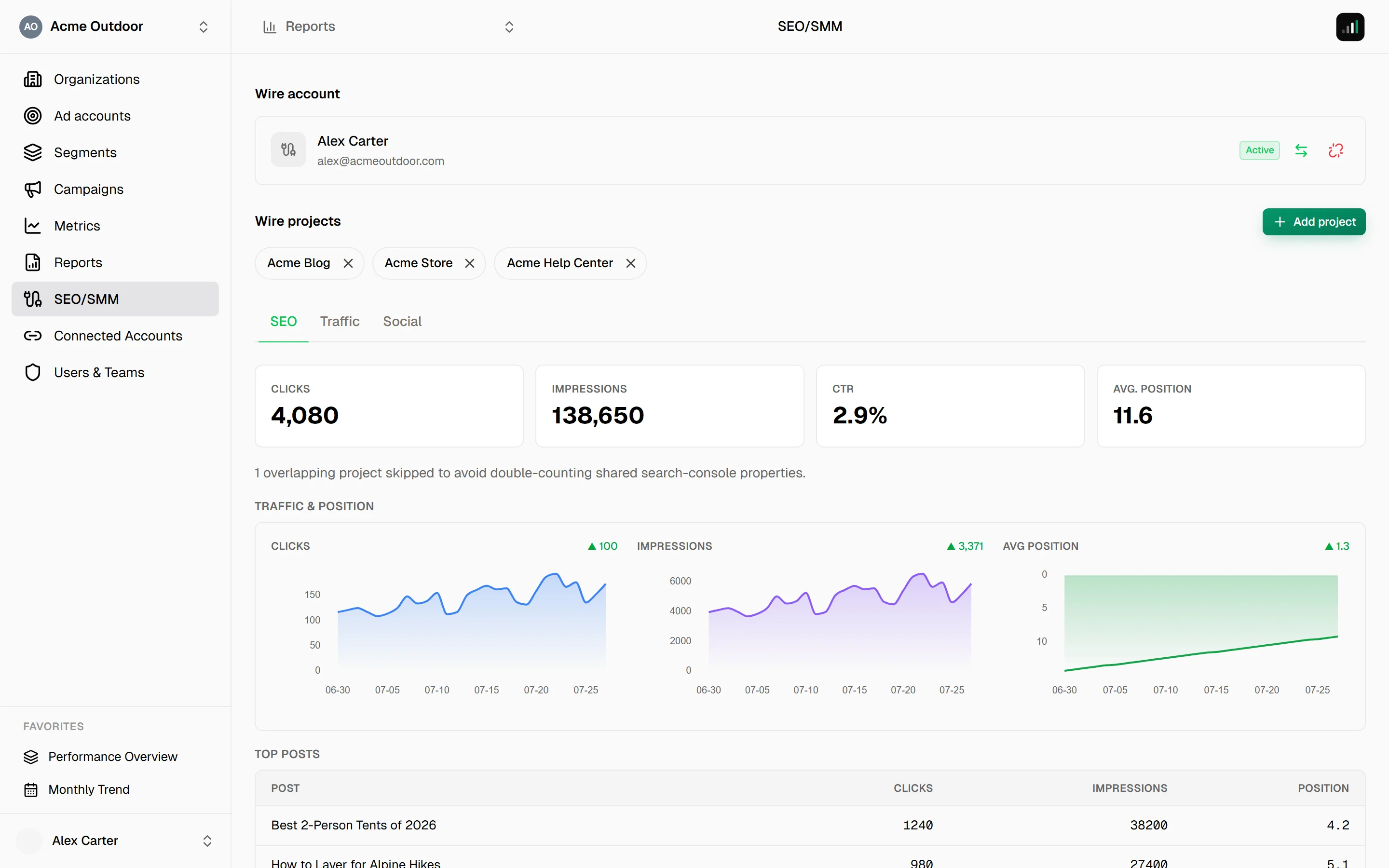
The Wire account panel at the top of the page manages the connection:
- Press Connect Wire — you'll confirm the sign-in and come right back. If the Wire session in your browser belongs to someone else, you'll get the sign-in screen instead of silently linking the wrong account.
- Or press Use another account to pick from every account this browser has used before connecting.
The connection is personal — it belongs to you, like an ad platform connection does. Once connected, the panel shows the account's name and an Active badge, with two actions:
- Switch Wire account — "You will be asked to sign in, and the account you sign in with replaces {email} for your linked projects."
- Disconnect Wire — projects linked through it stay on their organizations, but stop returning analytics until someone reconnects.
If Wire rejects the connection — access revoked, session expired — the panel says "This connection was rejected — reconnect it to resume content analytics." with a Reconnect button.
Linking projects
The Wire projects panel lists what this organization reads, as compact chips. Press Add project (needs Manage Wire Projects) and pick from the Wire projects your account can see.
Two rules keep the numbers honest:
- A project belongs to one organization. The same project can't feed two organizations at once.
- An organization reads Wire under a single account. If some projects here were linked under a colleague's Wire account, a banner offers Move to my account — one click re-homes all of them under yours, no re-adding.
Removing a project (the × on its chip) only unlinks it from this organization — nothing changes in Wire itself.
Reading the analytics
Below the panels, three tabs — SEO, Traffic, and Social — cover the organic picture. See SEO, Traffic & Social tabs for what each shows.
A status line per project tells you whether its data is fresh: linked and returning data, needs a reconnect (its chip also gets a warning mark — "Reconnect required — analytics for this project are stale"), or access denied on the Wire side.