Pacing the month
The monthly budget view — the summary strip, the per-ad-account table, the pacing bar, and how to read drift before the month is over.
Budgets › Pacing is one month, read-only. It answers a single question per ad account: is this on plan?
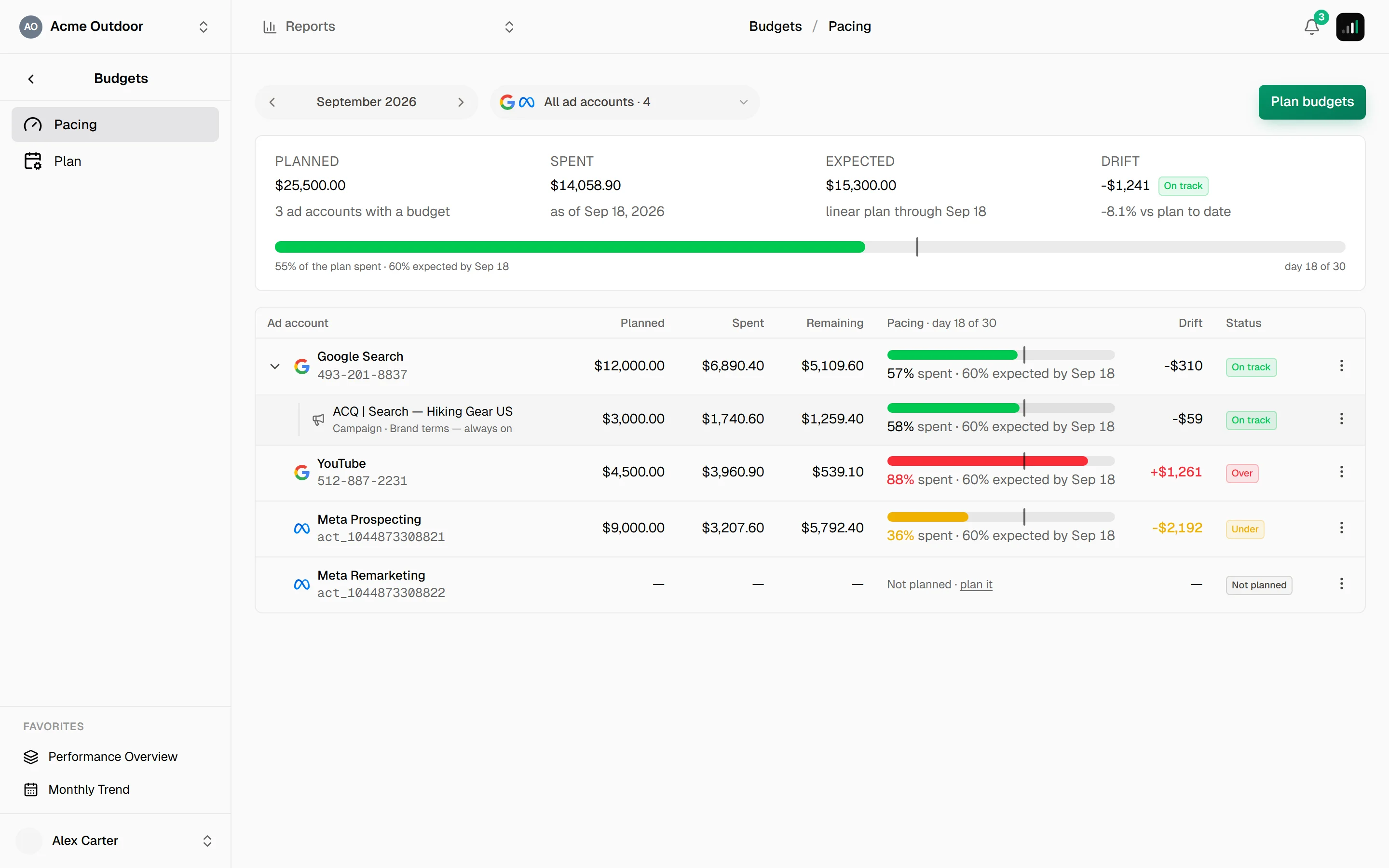
The month is chosen with the period pill at the top — ‹ September 2026 ›. Clicking
the label opens a picker with a year strip, a twelve-month grid and Today. The
chosen month lives in the address, so the view is linkable.
The summary strip
Above the table, one panel with the month's totals: Planned, Spent, Expected and Drift with a status badge, and underneath them the whole month as a single bar:
55 % of the plan spent · 27 % expected by Sep 8 · day 8 of 30
The overall badge is judged against a flat 10 % drift, not against the individual budgets' own thresholds — it's a summary, and a summary that flipped colour because one campaign had a tight tolerance would be noise.
Two neutral states replace the badge when spend is incomplete: Partial data when some ad accounts lag, No data when none of them has ever synced.
The table
One row per ad account — whether or not it has a budget:
| Column | |
|---|---|
| Planned | The month's budget. Not planned · plan it links straight to the year plan. |
| Spent | Actual spend so far. |
| Remaining | Planned minus spent. |
| Pacing | The bar (below). |
| Drift | Money, signed. The percentage is in the tooltip. |
| Status | One of the statuses. |
Reading the bar
The bar is a bullet chart, not a progress bar:
- The filled part is the share of the budget actually spent.
- The track behind it is where the linear plan stands today. Spend shorter than the track means behind plan; longer means ahead.
- A hatched segment past the end is overspend — the bar shows 130 % as 130 %, not as a full bar.
The caption underneath spells it out: 24 % spent · 27 % expected.
Campaign budgets
Campaign budgets are sub-rows of their ad account, in the same columns. On a desktop they're expanded; on a phone they start folded behind an "N campaign budgets" row, because three campaign cards turn one ad account into a screenful. The chevron toggles them either way, and your choice sticks.
The row menu (⋯) carries:
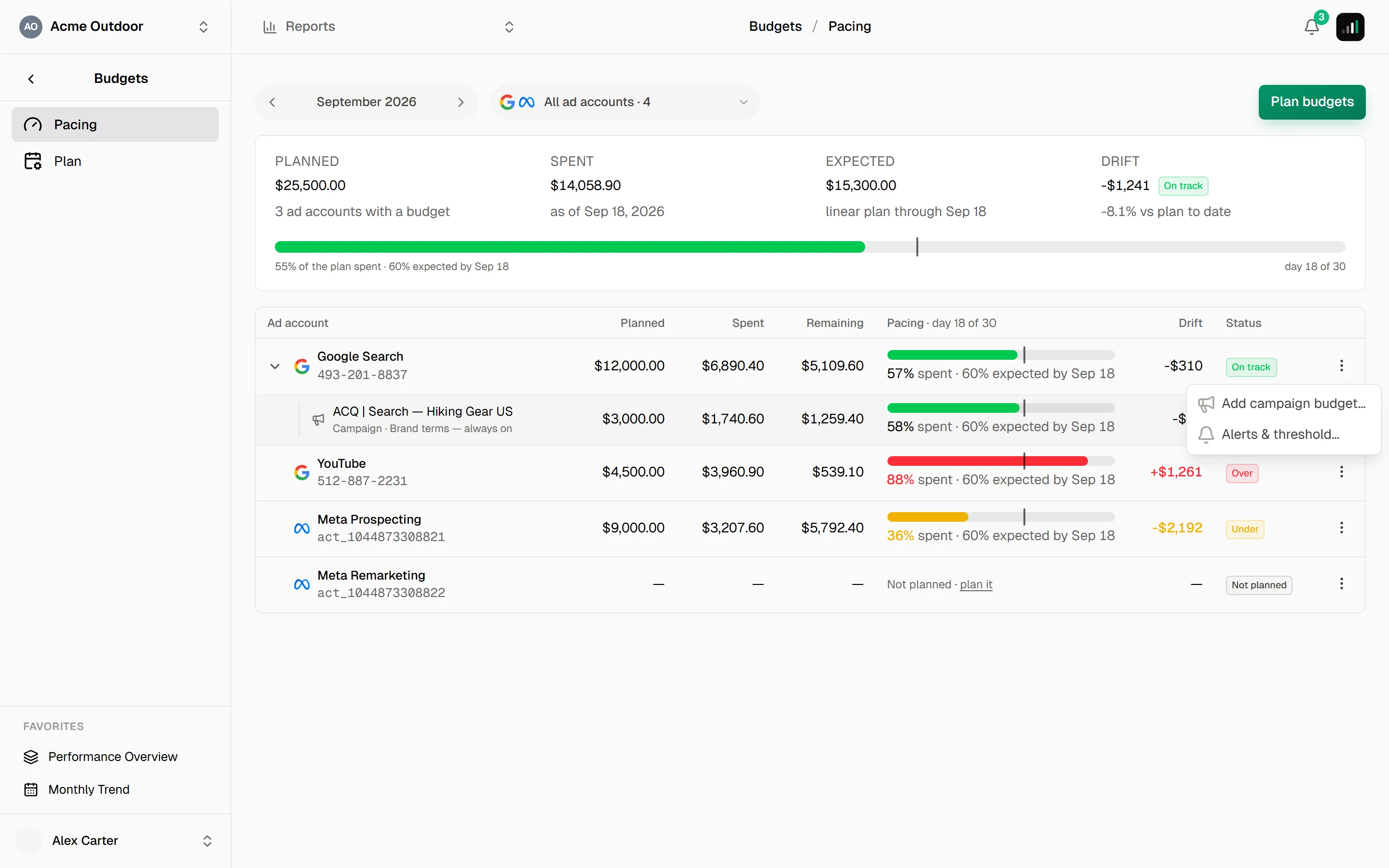
- Add campaign budget… — create a budget for one campaign inside this account's month.
- Alerts & threshold… — the tolerance and the alert switch; see Drift alerts.
A campaign row has Edit and Delete.
Narrowing the view
The ad-account picker at the top selects which accounts the table shows — everything is selected by default. It's a view filter: the summary strip follows it, so you can read the pacing of one client's three accounts without the rest.
When data is behind
Pacing is only as fresh as the spend Level has synced. A row whose ad account is still loading shows No data; a row whose data merely lags a day still has real spend and counts normally, with the strip naming the day it runs through ("data through Sep 8").
If a whole month looks wrong, start at Data sync — it's usually the sync, not the budget.